


user manual
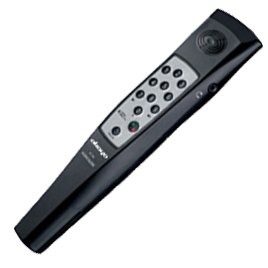
Okayo AT-100
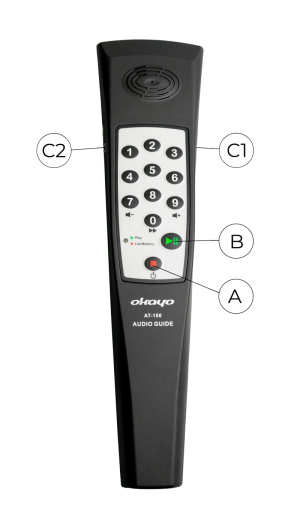
1. Turning on
Press and hold button A for approximately 2-3 seconds until the green LED lights up.
2. Turning off
Press and hold button A for approximately 2-3 seconds until the green LED turns off.
3. Playing audio content
- Before playing the next audio content, you must stop the currently playing content using button B.
- Use buttons 0-9 to select the content number.
- Press button B.
4. Changing language
- Before changing the language, you must stop the currently playing content using button B.
- To change the language, select the folder number and confirm with button B. Folder numbers are 951, 952, 953, and subsequent.
5. Volume adjustment
During playback, you can adjust the volume level using buttons 7 and 9.